Pooja room design render from your mandir unit drawing
Render your pooja room design from an elevation or sketch. Show the jaali, backlit panel, marble base, bell and shelves on your layout so the family can approve a mandir unit before it is made.
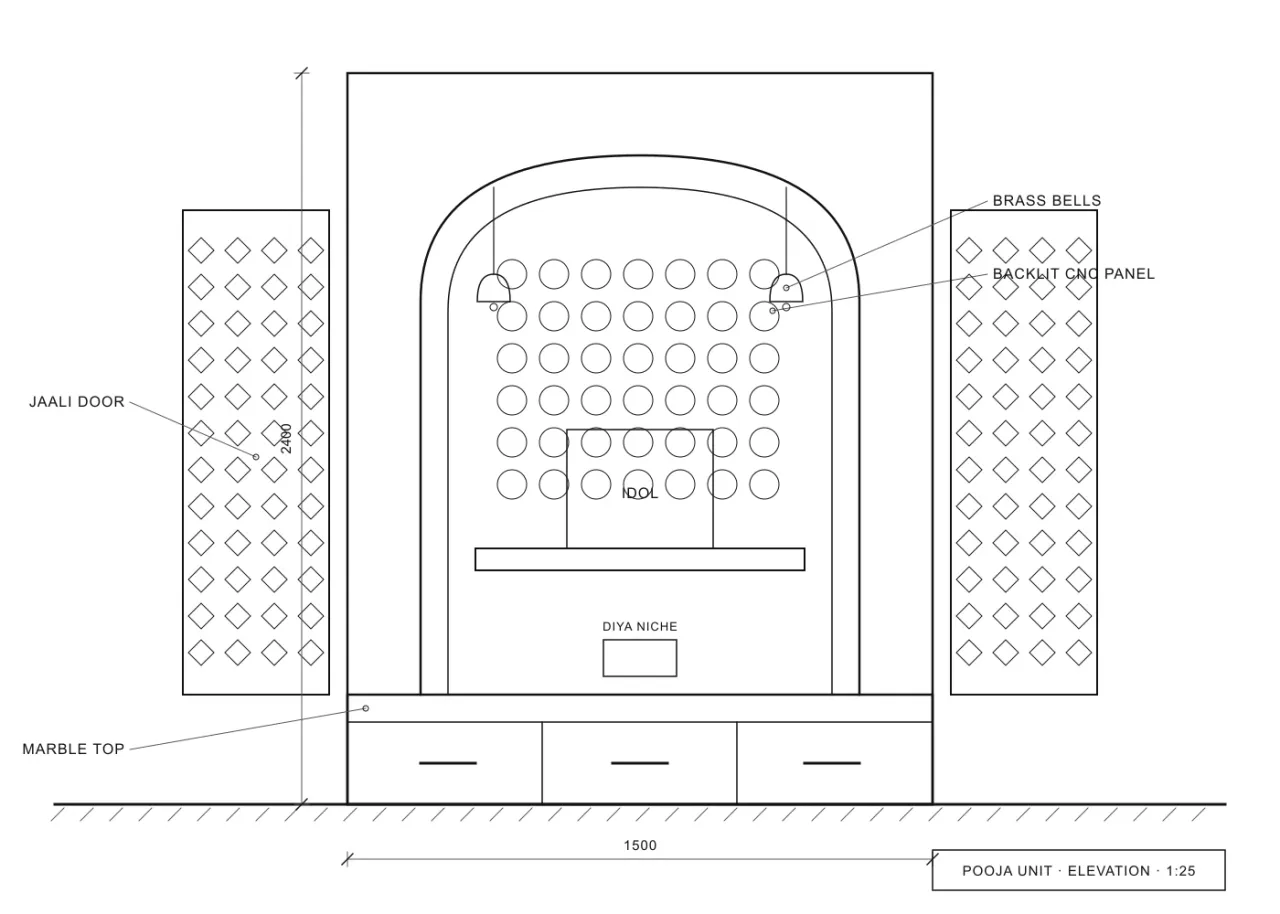
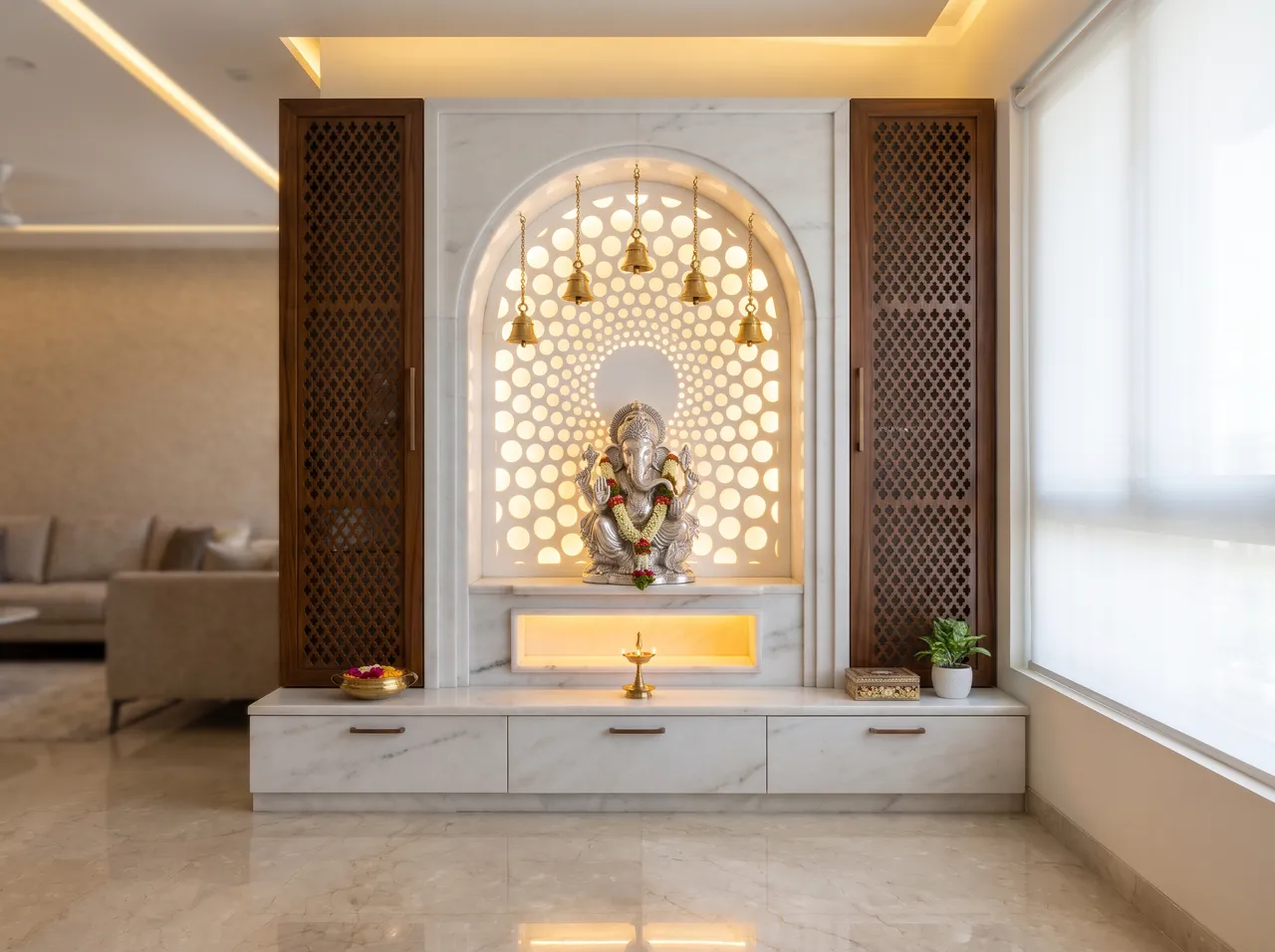
Jaali and carved panels
Draw or sketch the jaali pattern and it is rendered in the place you marked. Name the material, such as teak or MDF with a white finish.
Backlit panel
Show the back-lit panel behind the idol at night, with a warm glow, and in daylight as it looks in the morning.
Marble and stone
Name white marble or a stone for the base and the floor and see it against the wood.
Bells and details
Write “bell”, “diya niche” or “drawer” on the drawing and the label is read as the object.
How it works
Three steps on the canvas.
1Drop your drawing on the canvas
Upload a PNG, JPEG or WebP up to 15 MB. Phone photos are straightened automatically and file metadata is stripped on upload.
2Pick the deliverable
Choose Interior, Exterior, Floor plan or Graphics, then set light, finishes and mood with a few taps — or type a material brief.
3Review, refine, download
The render appears next to your drawing. Circle any area to change only that part, branch variations, and download for the client.
FAQ
Good to know.
Can I start from a hand sketch?
Yes. Photograph the sketch and upload it. Neater lines give a closer match to your intent.
Will it draw the idol or symbols correctly?
Not reliably. Check any religious figure or symbol in the render, and edit that area if it is wrong, or leave it for the client to place.
Related
- SketchUp to renderScreenshot or export any SketchUp scene — white model or textured — and get a lit, furnished, photoreal render from the same camera in about a minute.Open
- AutoCAD & CAD to renderClip an elevation, a TV-wall detail or a facade from AutoCAD, Revit or any CAD tool and get a photoreal render of exactly that drawing.Open
- For interior designersRender TV units, wardrobes, kitchens and full rooms from your elevations and SketchUp views — fast and affordable.Open
- Client presentationsWalk into the meeting with photoreal renders of the actual design, a 3D plan and a few style options — then change details live while the client watches.Open
- Instagram & WhatsApp reelsTurn a drawing and its render into a vertical before/after video for Instagram Reels and WhatsApp status — free, made on your device.Open
- Material & finish optionsLaminate or veneer? Matt or glossy floor?Open
Render your own drawing in about a minute.
2 free renders to start. No subscription, no card needed.